Verisign DNS Firewall
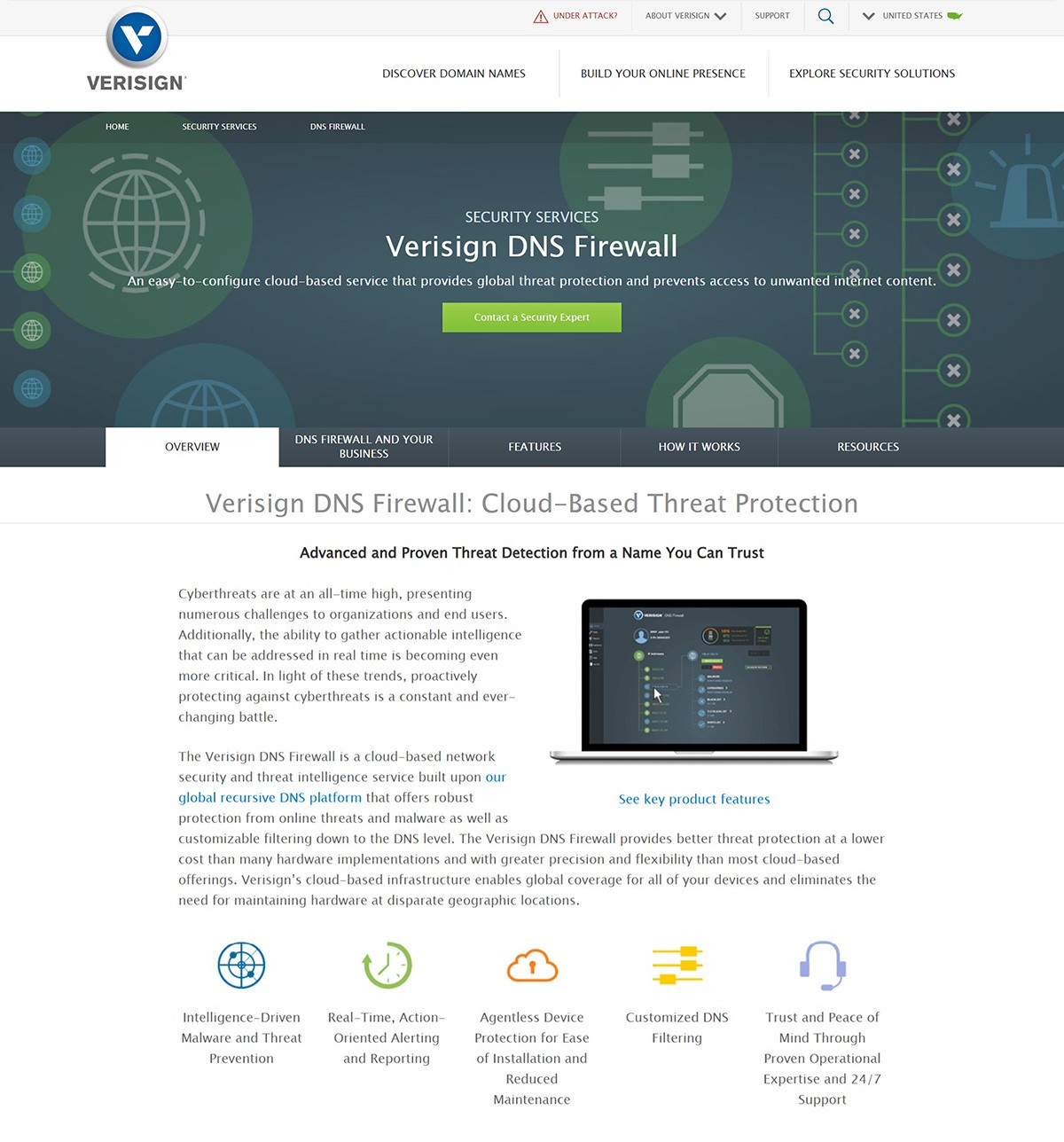
Verisign DNS Firewall was a cloud-based security product that combined Verisign's global DNS infrastructure and threat intelligence to protect organizations from malware, botnets, and unwanted content.
We wanted customers to feel like they were turning on a simple, smart safety layer—not configuring a traditional firewall.
2016
CLIENT
Verisign, Inc.
Role
Lead Designer
Skills
Product Design, UX Design
Tools
"More options did not equal more clarity—it was our job to hide the complexity, not expose it."
Verisign needed to bring enterprise-grade DNS security to small and mid-sized businesses—a market that had been priced out of threat protection. The existing solution was a hardware appliance requiring deep technical expertise to configure and maintain.
The Core Problem
How do you make DNS-level threat blocking simple enough for a non-technical business owner to deploy confidently, while still supporting advanced security administrators?
Our Goals
My Role
Lead Product Designer working directly with product management and engineering over 18 months. I was responsible for:
Complete UI/UX design from concept through production
Cross-team collaboration with product and development to align on technical feasibility and user needs
Creating detailed specifications and design documentation for development
IP-Driven Visual Hierarchy
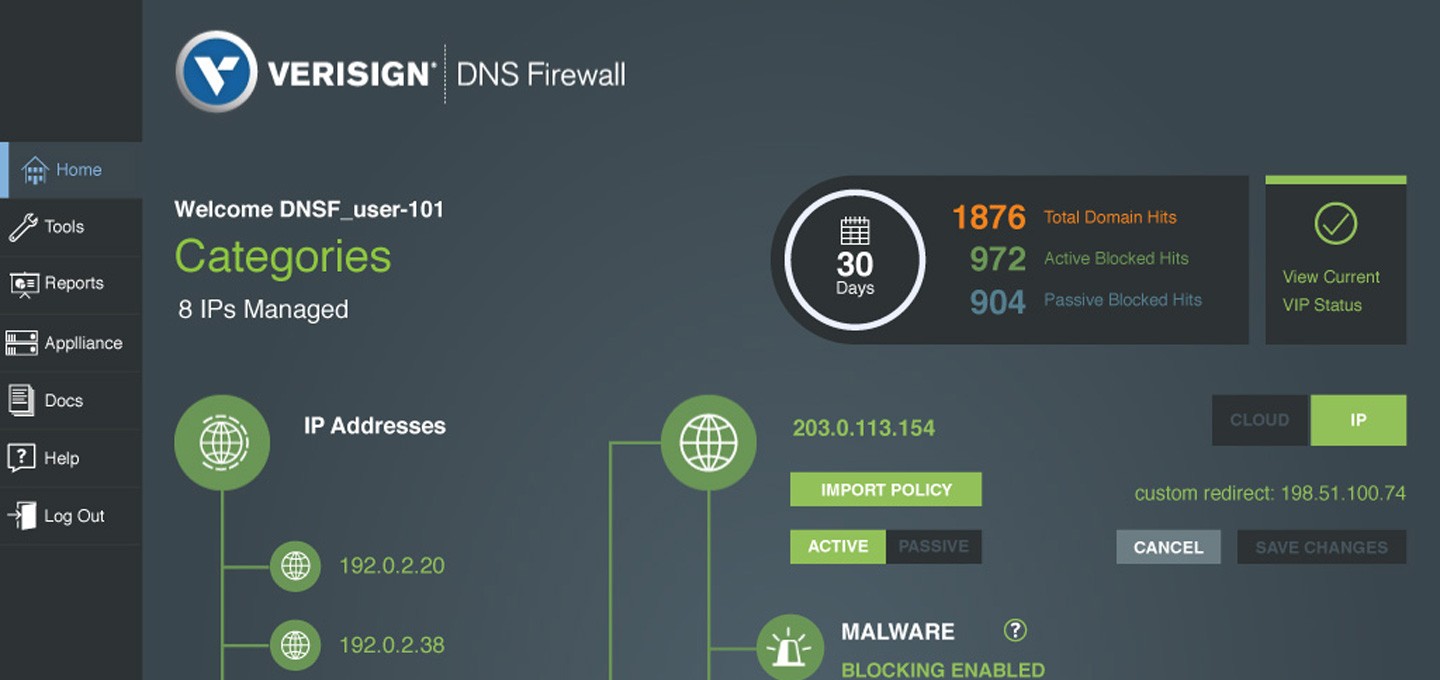
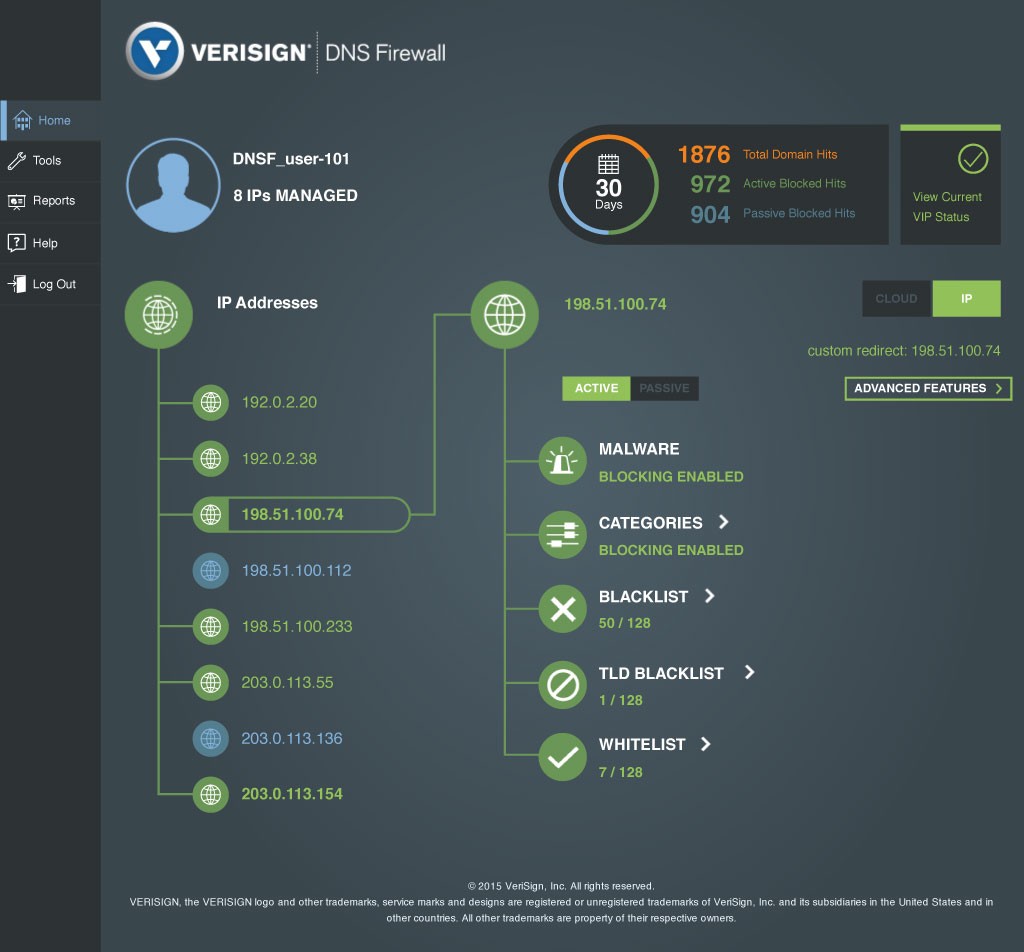
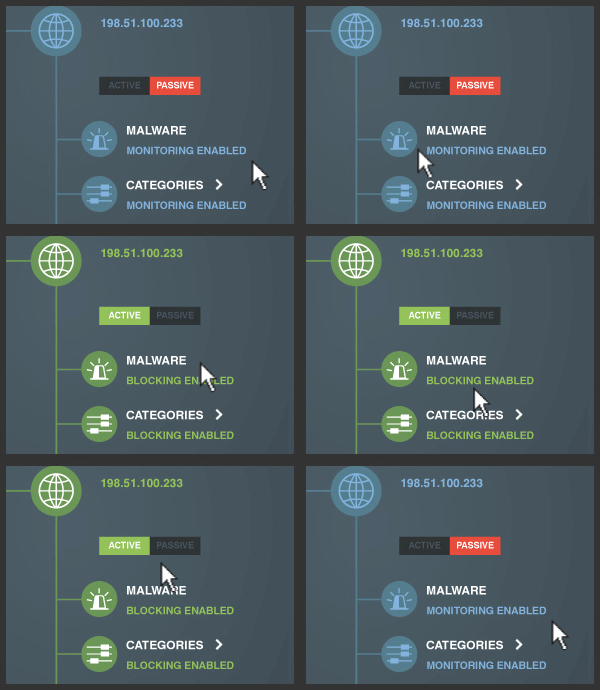
We centered the interface around a scannable IP hierarchy in the left panel. Each IP address appears as a distinct node—green outlines for active filtering, gray for passive monitoring. Selecting an IP reveals its filtering controls via animated line connections in the main panel.
At the top, key metrics provide instant visibility: 30-day activity, blocked hits (active vs. passive), and total IPs managed. This transformed an abstract system into something tangible—making the invisible visible.
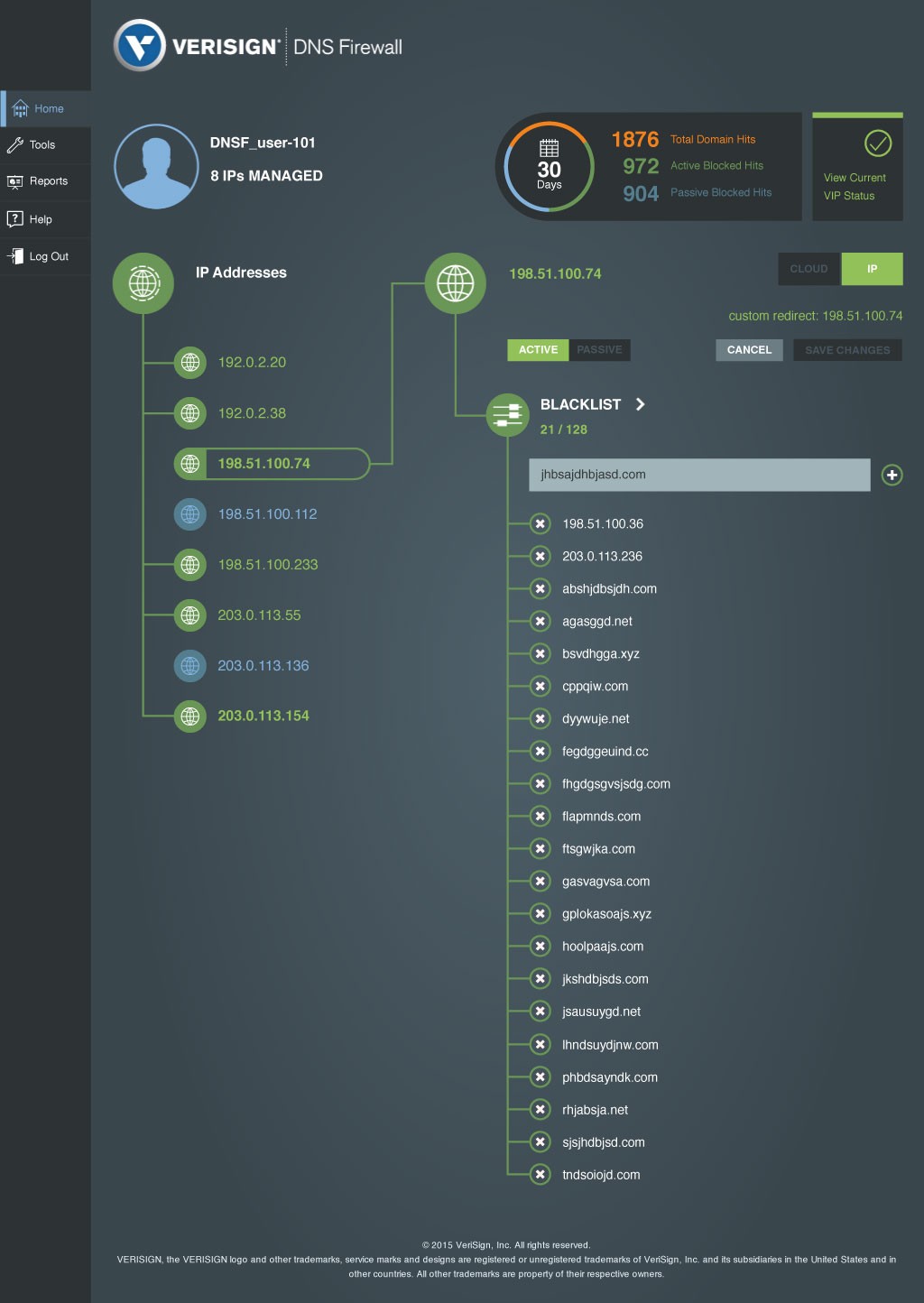
Rather than overwhelming users with every option at once, we organized filtering into five focused categories—each revealing its controls only when needed.
Simple Color Language
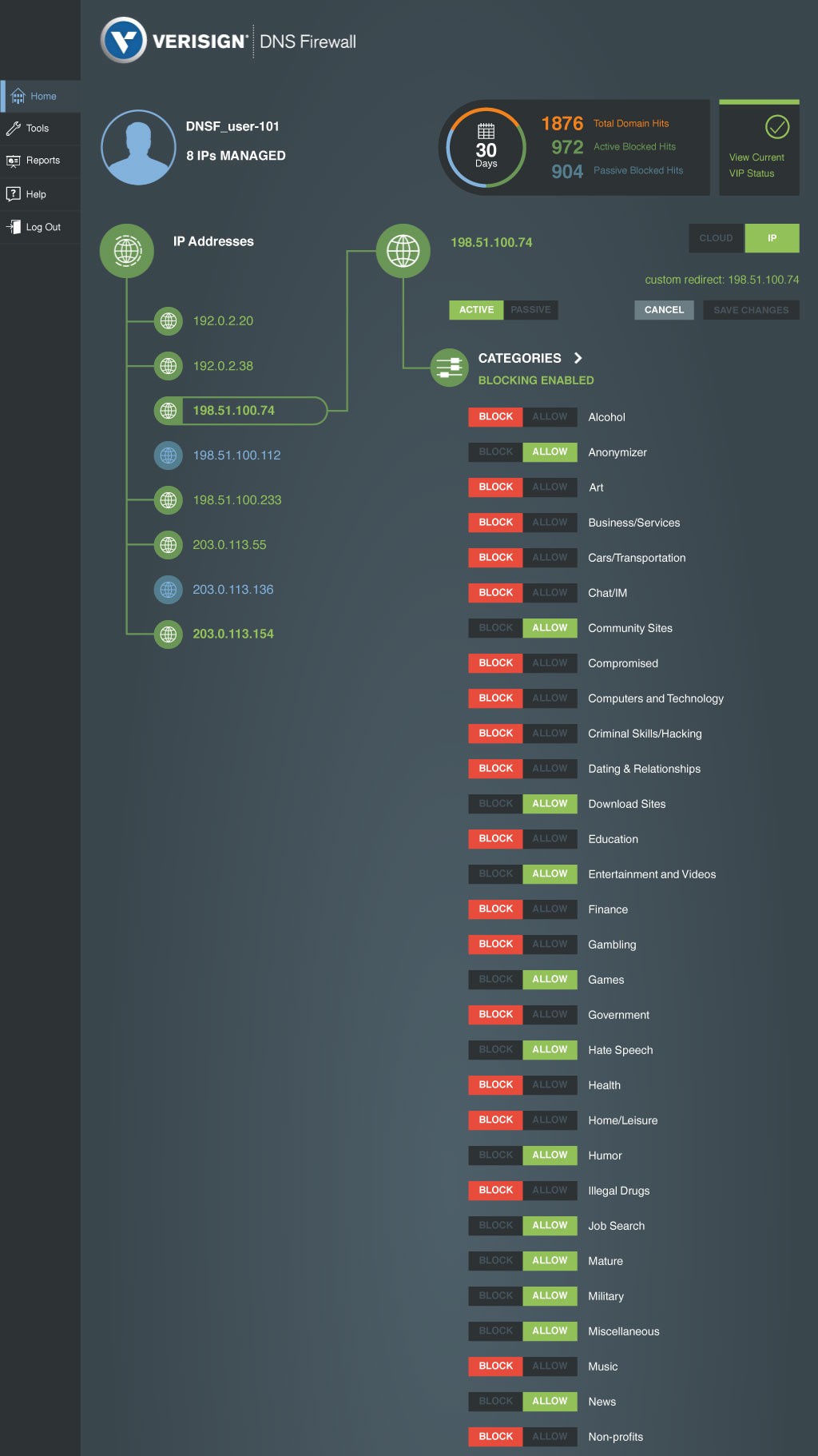
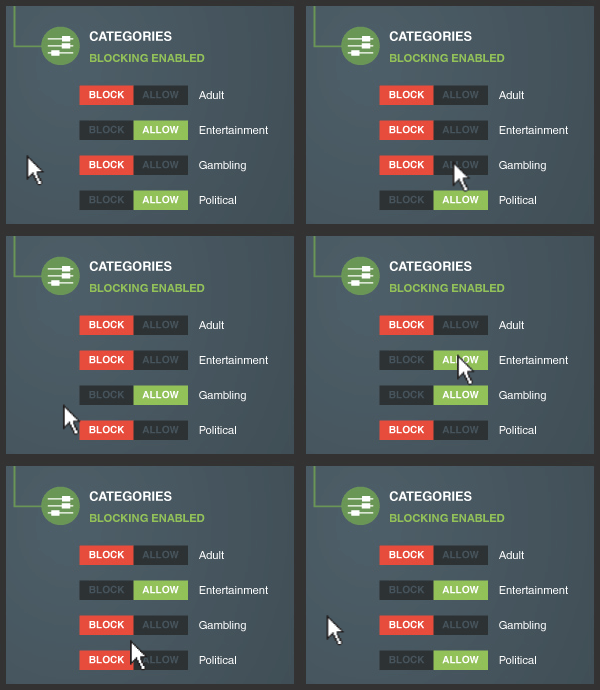
Block/Allow controls follow one universal pattern across the entire product—green means go, red means stop.
Red BLOCK buttons = stop/deny
Green ALLOW buttons = go/permitted
Gray neutral state = no active rule
Whether configuring malware protection, managing 50+ web content categories, or setting up custom blacklists, users encountered the same easy-to-understand interaction pattern. This color coding wasn't just aesthetic—it became a functional language that made security policy instantly readable at a glance.
Actionable Reporting & Transparency
The reporting dashboard gave administrators complete visibility into their security policy. A weekly activity chart showed active vs. passive blocking trends at a glance, with color-coded bars revealing patterns over time—making it easy to spot unusual spikes or validate that filtering policies were working as intended.
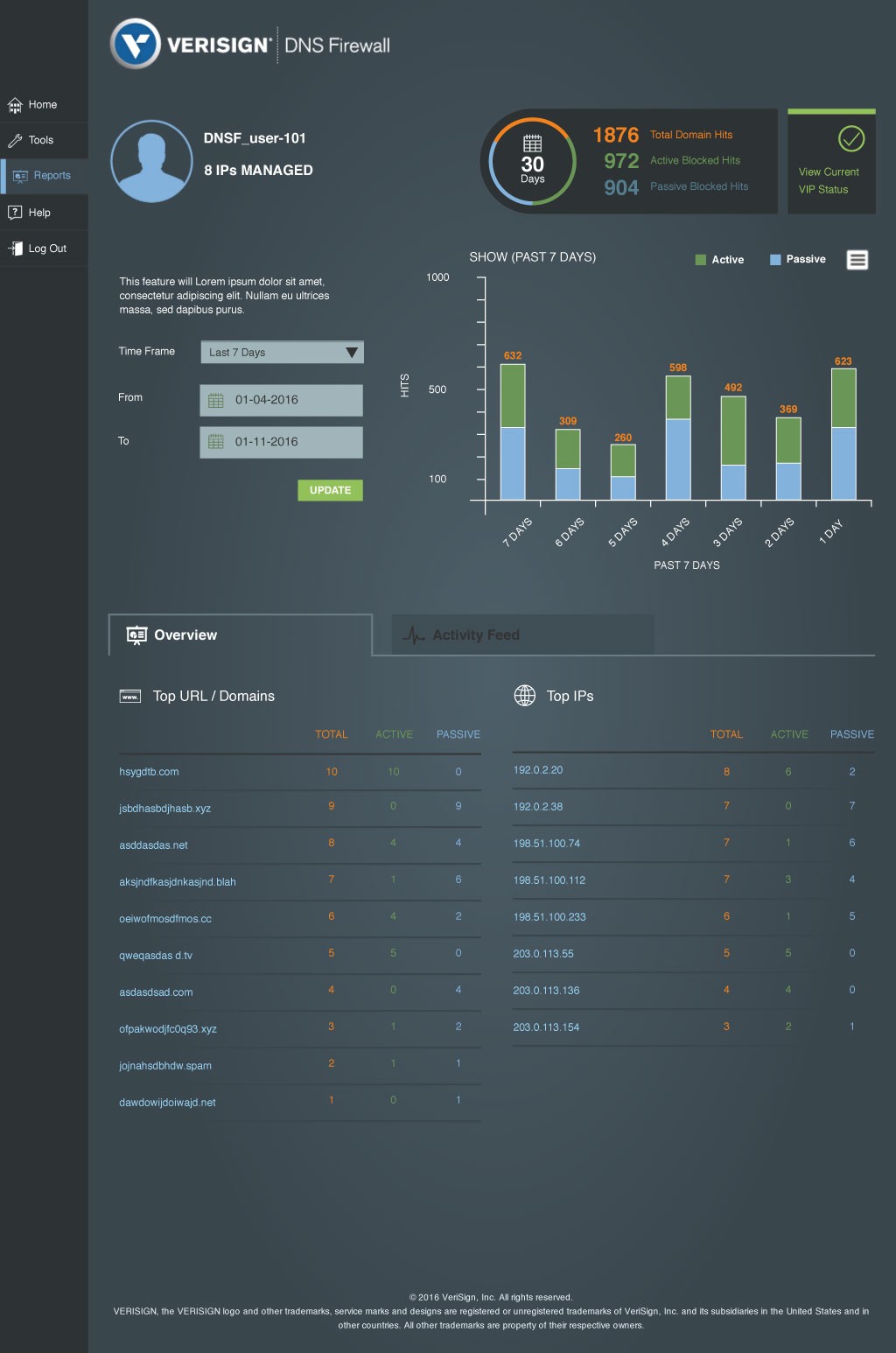
The Overview tab surfaced the most critical intelligence: top blocked domains and top source IPs ranked by frequency. This made it simple to identify persistent threats, troubleshoot false positives, or fine-tune filtering rules based on real usage patterns.
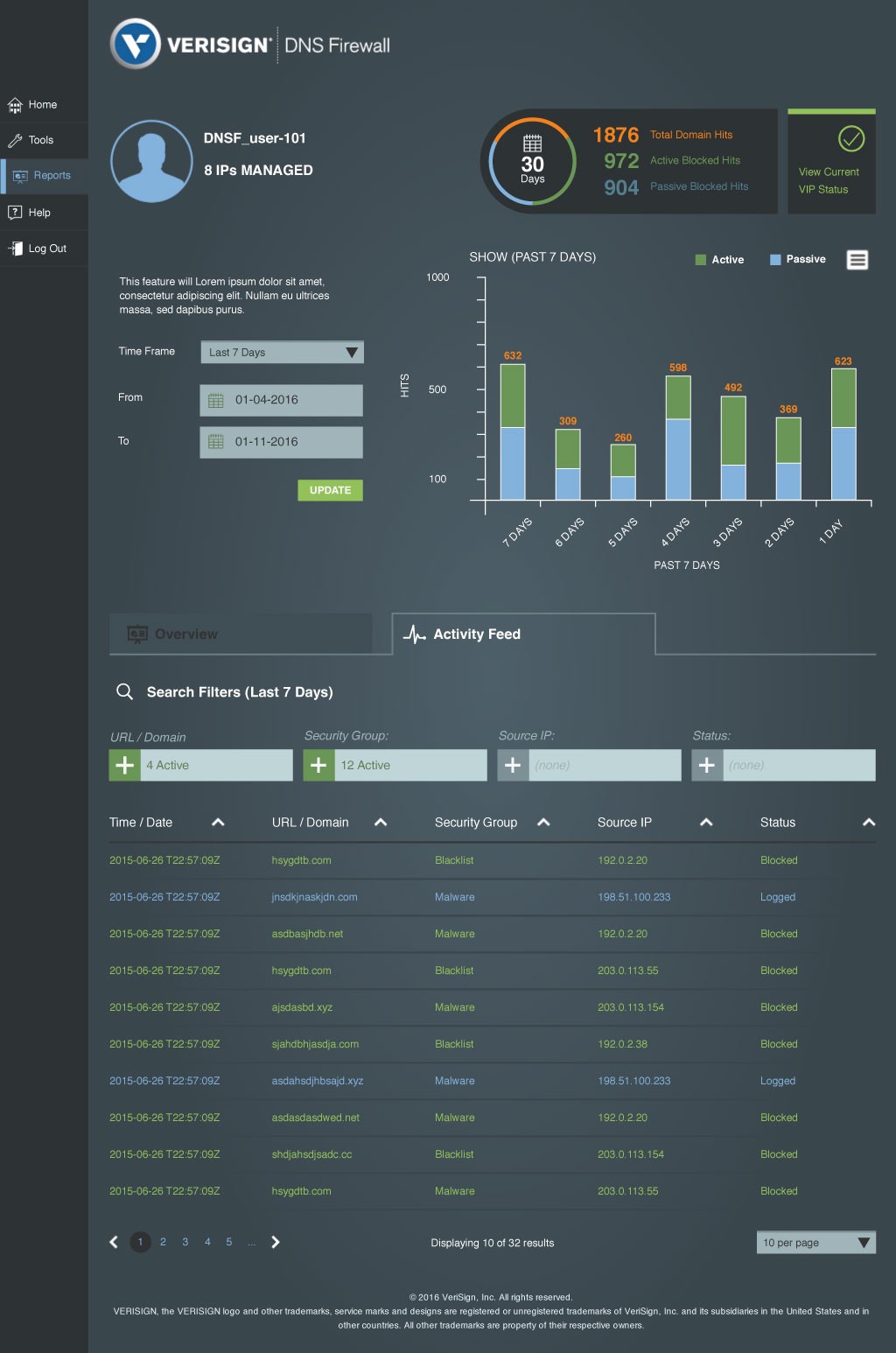
The Activity Feed provided granular forensics: every blocked domain, timestamp, source IP, and security category in a sortable, searchable table. Administrators could quickly answer questions like "What malware did we block today?" or "Which IP is triggering the most blocks?"
The Impact
Leadership and sales teams adopted my UI designs directly in customer demos and presentations—the interface became the product's visual identity
Early customer feedback consistently praised the simplicity and transparency, with Passive Mode especially valued for safe, low-risk rollout
Market expansion: DNS Firewall successfully reached SMBs and mid-size organizations who previously considered DNS security too complex or expensive
Product longevity: Maintained growing customer base and positive reception until Verisign's cybersecurity division was acquired by Neustar
What I Learned
This project reinforced that part of design involves deciding what not to show. Progressive disclosure isn't about dumbing things down—it's about building confidence incrementally and respecting people's cognitive load.
DNS Firewall today?
In October 2018, Verisign sold its Security Services business to Neustar, including DNS Firewall along with DDoS protection and managed DNS services. Neustar already operated its own UltraDNS Firewall product, and the Verisign DNS Firewall was eventually retired as part of the integration. Verisign made this strategic decision to focus exclusively on its core mission: operating critical internet infrastructure including the .com and .net registries.